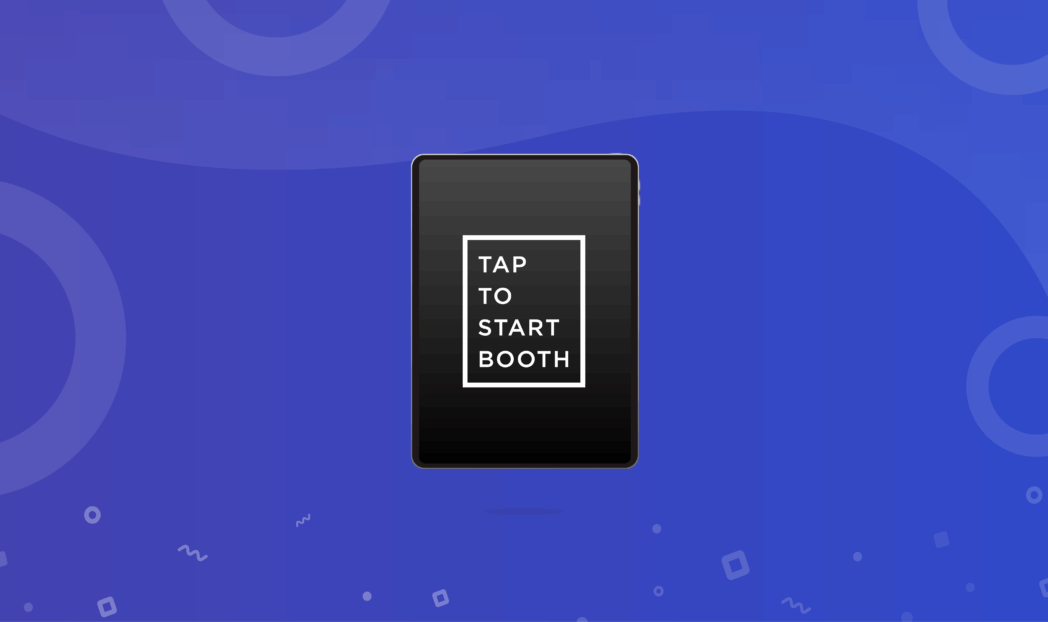
There are many iPad photo booth apps available on the App Store, with more popping up every day. The truth is, it’s pretty easy to throw together a countdown, snap a photo, and label it a photo booth app — but the best apps go way beyond that.
At times, finding the perfect app with the right mix of features and reliability to meet your needs can feel like looking for a needle in a haystack.
That’s why we spent three weeks taking a deep dive into the world of iPad photo booth apps, exploring a dozen options to help you find the best app for you. From our research, we narrowed it down to six standout apps, put each one to the test, and sorted them based on what they do best.
And just for fun, we included three apps that made us smile—though they aren’t suitable for live events.
The list is split into two sections: The first section highlights our picks for the best iPad photo booth apps that provide a genuine photo booth experience for live events. The second part takes a lighthearted turn, showcasing a couple of apps all about having fun.
⬇️ I just wanna have fun ⬇️
The bottom line: If you’re on the hunt for the best photo booth app that fits your needs, this is where you’ll find it. 👇
Top iPad Photo Booth Apps: Overview.
Simple Booth HALO is the best overall photo booth app for event pros who need a reliable, easy-to-use, and high-quality photo booth.

Snappic is a notable choice to power 360 photo booths, video activations, and bespoke photo experiences.

Booth.events is an up-and-coming photo booth app that has a balanced mix of features and an emphasis on reliable printing.
How to Choose an iPad Photo Booth App
We found a ton of iPad photo booth apps, which can be overwhelming. To help you out, we narrowed them down using four key criteria:
- Photo Booth Features: Does the app have all the essential photo booth features? Does it offer any unique features that make it stand out? Does it have features like AI portraits, virtual backgrounds, or branded customization?
- Ease of Use: The app should be intuitive and simple to set up, allowing guests to easily interact with it. The photographer or business should be able to use it without expert knowledge.
- App Store Rating: How do its users rate it? Apps with strong ratings reflect reliability and overall user satisfaction.
- Price: How much value do you get from the app? For this, we consider subscription tiers and hidden costs that might not be obvious from the get-go.
Now, here’s the list we came up with.
Executive Summary
Please note that the App Store ratings are current as of this article writing, but do change daily, so we’ve also included a link to each app on the App Store for your own research.
| Best iPad Photo Booth Apps for Professional Use | ||
|
Store Rating: 4.7 from 2.8k ratings ⭐⭐⭐⭐⭐ Price: Starts at $9 per week |
Simple Booth HALO® Best overall photo booth app. Ideal for event pros and businesses. Offers a wide array of plans at affordable prices. Download App |
|
|
Store Rating: 4.4 from 81 ratings ⭐⭐⭐⭐ Price: Starts at $19 per event |
Snappic Good for photography studios or pro photographers with the equipment to build complete DIY photo booths. Download App |
|
Store Rating: 4.8 from 839 ratings ⭐⭐⭐⭐ Price: Starts at $19 per week |
Booth.Events Good iPad photo booth app for printing photo strips. Download App |
|
Store Rating: 4.5 from 1.3k ratings ⭐⭐⭐ Price: Starts at $20 per month |
LumaBooth Good for non-commercial events like weddings, house parties, and birthdays. Download App |

|
Store Rating: 3.4 from 102 ratings ⭐⭐⭐ Price: Starts at $49 per month |
Fiesta Promoted tor photo booth rental companies looking for turnkey solution. Download App |

|
Store Rating: 3.6 from 16 reviews ⭐⭐⭐ Price: Starts at $30 per month |
Darkroom Booth Honorable mention. Download App |
| Best Free iPad Photo Booth Apps for Casual Use | ||
|
Store Rating: 4.7 from 8.6k reviews ⭐⭐⭐⭐ Price: Free |
Mini PhotoBooth Best for creating animated templates for birthdays and social events. Download App |

|
Store Rating: 4.4 from 543 reviews ⭐⭐⭐⭐ Price: Free |
The Photos Booth Best for lighthearted, humorous images for quick laughs. Download App |
|
Store Rating: 4.5 from 1.8k reviews ⭐⭐⭐⭐ Price: Free |
PocketBooth Best for vintage photo booth experiences. Download App |
6 Best iPad Photo Booth Apps for Professional Use
1. Simple Booth HALO® — Best Overall Photo Booth App
Simple Booth HALO® is a complete photo booth solution, popular as a standalone app or with the optional hardware kit.
In 2013, the first Simple Booth app launched as a way to set up a do-it-yourself photo booth with an iPad. It quickly became popular among consumers and photo booth operators. In 2016, Simple Booth launched what would become HALO, a full-featured photo booth app that is as versatile as it is fun to use.
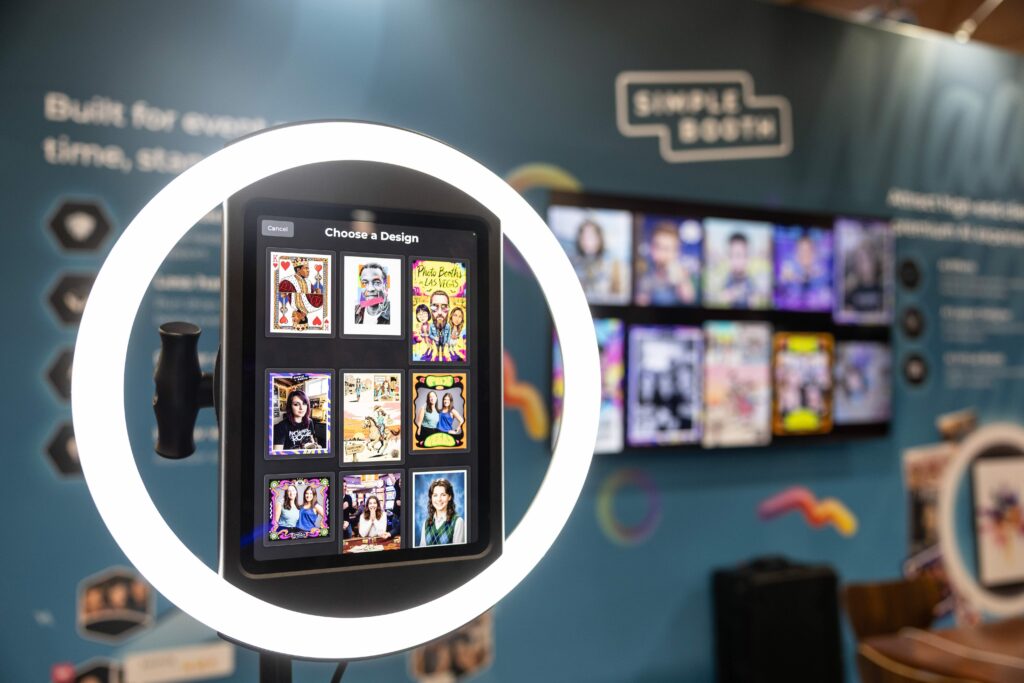
Why Simple Booth?
Businesses choose HALO to amplify in-person experiences, capture contacts, and increase brand awareness. The combination of Simple Booth’s photo booth app and business platform is designed to maximize engagement with branded customizations, seamlessly deliver photos to every guest, and drive social sharing through an online gallery.
For example, it’s easy to add your logo or overlay to every photo or video shared. When participants share photos on social media, your custom hashtag is included automatically.
Then, the data capture tools are designed to collect information during the initial photo booth experience, with an impressive opt-in rate of 87%. No matter what your marketing goal is, Simple Booth HALO® ensures you can achieve it, making it a standout choice in the photo booth industry.
That’s a big statement, but don’t take our word for it. Have a look at these stats instead:
- Tried & true by over 30,000 happy customers 💪
- Developed since 2013 by a professional team of engineers 🧑💻
- Featured by Apple on iPads across the US in thousands of Apple and Verizon retail stores in 2015 🏅
- Has the strongest high rating (4.7 stars from over 2,400 ratings) out of all the leading apps by a long shot 💫
| Simple Booth Pros | Simple Booth Cons |
| ✅ Reliable, intuitive app | ❌ No dedicated 360 photo booth support |
| ✅ Exciting new AI features | |
| ✅ Power Layout Designer available in the app or on the web | |
| ✅ Works with Canon DSLR and mirrorless cameras |
Simple Booth HALO: Top Unique Features
Simple Booth is easy to use, with a straightforward setup and a strong reputation for reliability, including a dependable offline queue.
The app is easy to navigate, with settings available on both the iPad and the web, so events can be set up and managed without much effort. You can customize the “tap to start” screen and photo layouts using 80+ built-in themes or create your own with the Layout Designer.
HALO is just as smooth for guests, guiding them through the experience quickly without needing assistance.
Overall, the software keeps things simple while still offering plenty of features. HALO includes a range of tools, with five that stand out:
- The Layout Designer is the most powerful photo booth template tool in the industry. It’s easy-to-use and feature rich, allowing users to create fully-custom layout without ever leaving the app. These include photo strips, image grids, and still images—complete with graphics, overlays, text, and QR codes.
- Popular image formats like still images, boomerang-style video clips, GIFs, photo strips, or 15–120 second videos with sound.
- The online galleries look great on mobile device and you launch a Live Feed™ slideshow to project photos in real-time with the press of a button.
- The built-in effects like Glam, artificial background blur, and color filters actually make your output images look better than other apps using the built-in iPad camera.
- Simple Booth HALO supports capture through DSLR and mirrorless cameras.
- New AI effects can transform your images into wildly creative scenes that are sure to put a smile on guests’ faces!
For anyone who wants a reliable and effective iPad photo booth solution, Simple Booth HALO is the perfect fit.
Here’s a look at the new Layout Designer:
| App Store Rating |
| ⭐⭐⭐⭐⭐ 4.7 based on 2,400 ratings |
Simple Booth: Pricing
Another highlight of this incredible photo booth app is its affordable starting price: just $9 per week for unlimited use, plus a wide range of additional plans to scale up for the needs of any size user or business.
“I loved using Simple Booth – it was easy, super fun to see and send the photos, and the staff at Simple Booth were so helpful for problem solving when I needed it.”
-Sandra Tsai
👉 Sign up for a free trial of HALO and switch between software tiers to find the best fit!
Alternatively, you can also purchase the app as part of a hardware/software bundle and get everything you need for your photo booth in one stop.
Maximum Impact: The HALO Event Kit
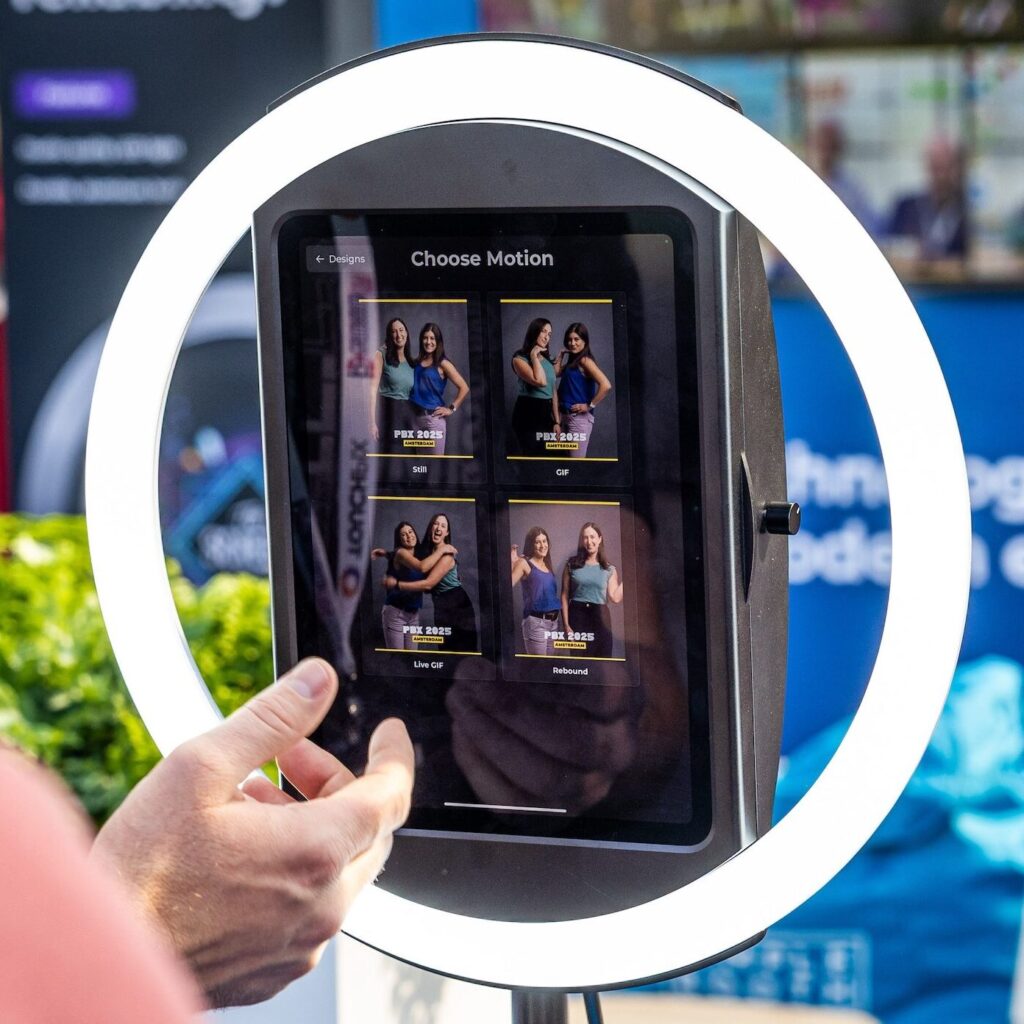
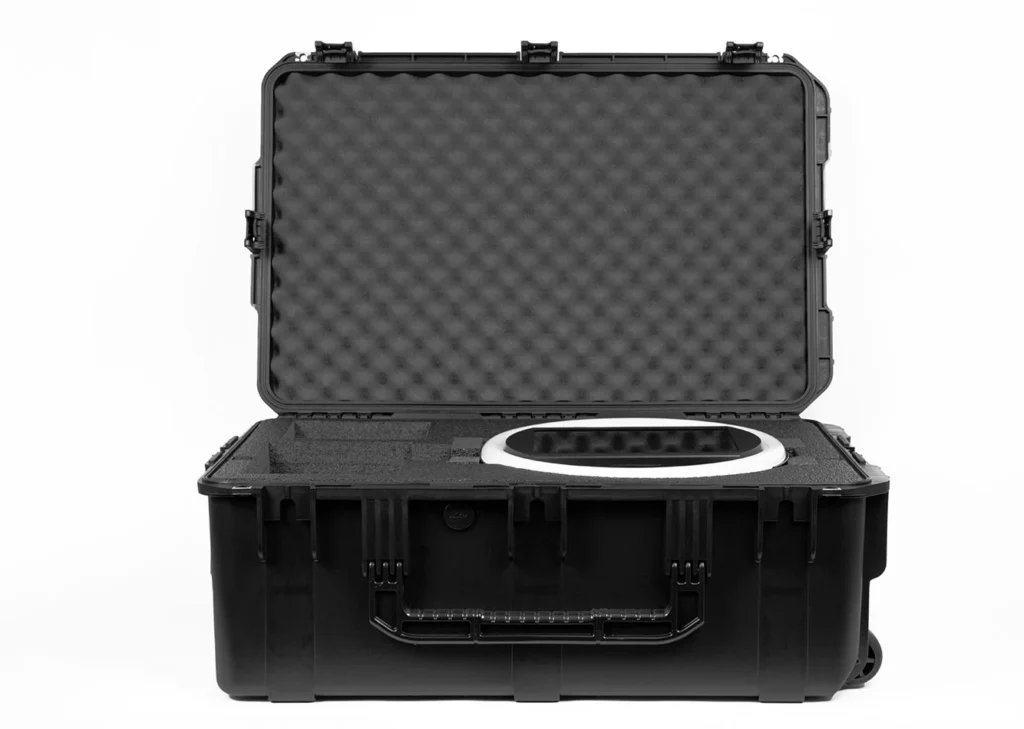
The Simple Booth HALO event kit levels up this powerful app into a turnkey solution:
- Modern iPad Enclosure with Ring Light: The iPad enclosure is made of anodized aluminum for a sleek and durable look. The front faceplate snaps magnetically onto the shell, allowing easy access to the iPad when you need it. The soft LED lighting makes every guest look beautiful and is bright enough for groups, even 6-8 ft away from the camera.
- Versatile Stand: The HALO stand features a low center of gravity to keep it planted firmly. It comes with an adjustable riser to choose vertical height and has the option to tilt for the perfect angle.
- Rugged Transportation Case: Carrying photo booth hardware to and from event venues can be challenging. The HALO event kit includes a robust travel case with handle and wheels to make transportation easier.
Together, the Simple Booth HALO software and hardware let you set up the ultimate photo booth for high-quality image capture, wherever your journey takes you.
Here’s how fast and easy it is to set up:
Use Simple Booth if:
- You want a hassle-free user experience for yourself and for your guests.
- to generate leads or collect data from your business events or venues.
- You want the best image quality, whether from the iPad camera or a DSLR, enhanced with built-in effects like Glam, background blur, color filters, and AI background removal.
Let’s Talk
Our photo booth experts are ready to help.
2. Snappic — Good App for Advanced Video Photo Booth
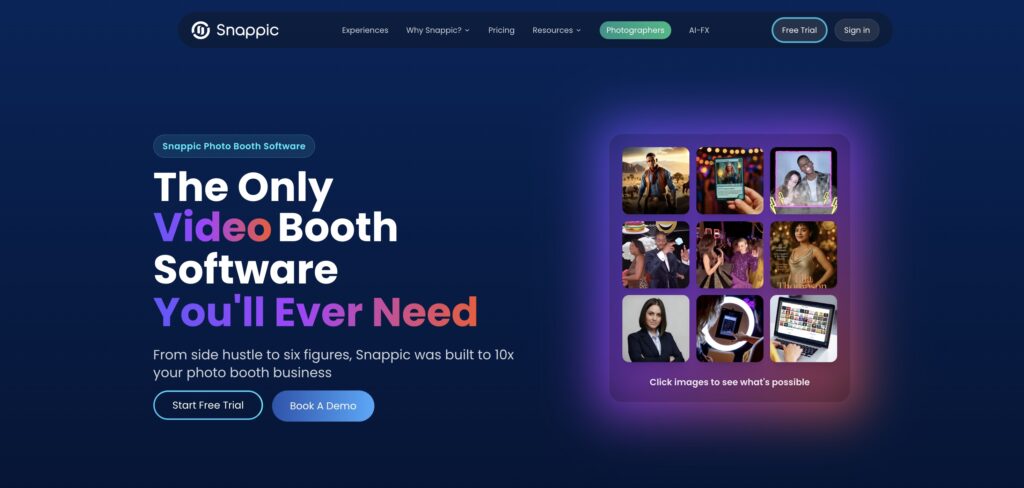
There are a several photo booth apps that offer the ability to record full-length videos, but Snappic takes the potential of video booths to a whole new level.
Snappic features a design studio for video templates called VideoFX that allows you to upload your own video clips, choose visual effects, sounds, and adjust timing for highly custom results. It’s a very powerful suite of tools that will allow you to render the most creative video results for the most rigorous clients. If you’re looking to set up an advanced video photo booth, look into Snappic!
The app also offers a competition feature to incentivize photos. You can use it to create spin-the-wheel or scratch-off contests for guests to win prizes, adding an extra layer of excitement to the photo experience.
| Snappic Pros | Snappic Cons |
| ✅ VideoFX video tool | ❌ Requires add-on for green screen |
| ✅ Customizable surveys and spin-to-win contest | ❌ No in-app stickers |
| ✅ 360 booth support |
Snappic: Top 3 Unique Features
- Create elaborate videos using VideoFX
- Interactive contests for participants like spin-to-win
- FaceMatch facial recognition for guests to find their photos
Snappic provides several professionally-designed templates, filters, and animated overlays that you can use to create a video photo booth that perfectly aligns with your event’s theme.
Additionally, Snappic features green screen and AI background removal to put your guests in front of a custom digital backdrop.
However, keep in mind that you can only access most of these features through the website. It’s not possible to create events offline from the iPad itself. So, if you end up reaching the venue without preloading the event settings… you may be out of luck.
Snappic is a good option if you’re able to spend a healthy number of hours ahead of your event getting familiar with the ins and outs of the software platform.
Here’s how Snappic works:
| App Store Rating |
| ⭐⭐⭐⭐ 4.5 based on 87 ratings |
Snappic: Pricing
Snappic offers advanced customization tools and filters to its customers, but it comes at a price. The two entry-level pricing plans are Starter ($69/mo) and Business ($189/mo) with no options in-between, which some users find steep. Alternatively, you can pay $29 or $79 per event. Only the Business plan offers all the advanced video photo booth features mentioned previously.
Use Snappic if:
- You need to edit a video sequence with multiple clips and specific effects.
- You are serving a corporate client with niche feature requirements.
- You want to incentivize participants with a spin-the-wheel prize competition.
Need more information? We also wrote an in-depth comparison of Snappic vs Simple Booth, systematically reviewing their features side-by-side.
3. Booth.Events — For Printing
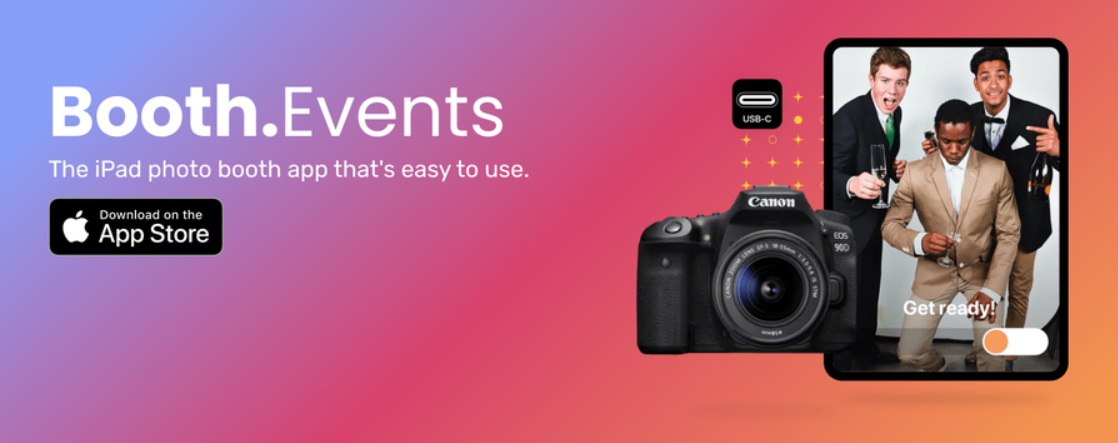
Booth.events is an iOS and MacOS application, proudly made in Canada, that promotes itself as a photo booth app that’s easy to use.
While it doesn’t have the most features out of any photo booth app, the ones it does have tend to work pretty well. This is especially true when it comes to printing.
Printing is a pain-point for many photo boothers, because professional dye-sublimation printers can be notoriously finicky.
Booth.events has a special companion app you can run on a PC to make printing seamless. Alternatively, you can run their app directly on a Mac and use the Mac print drivers to print directly.
The app also connects with a DSLR, so you can impress your guests with premium quality pictures.
| Booth.Events Pros | Booth.Events Cons |
| ✅ $19 per week option | ❌ Expensive monthly plans |
| ✅ Optimized for printing on Mac or PC | ❌ Layout design and other settings only available on the web |
| ✅ Integrates with Canon, Sony, and Nikon cameras |
Booth.Events: Top 3 Unique Features
- Runs on iPad or Mac with a dedicated print server application
- Pairs with Nikon, Sony, and Canon DSLRs
- Offers AI portraits and AI effects with custom prompts
The Booth.events web interface enables you to build custom templates and tap to start screens from scratch. Also, it has a special emphasis on fast syncing, to ensure changes in the app and on the web are up-to-date.
You can personalize the dimensions, backgrounds, overlays, and much more. The app stores these templates and screens separately from your events so that you can easily reuse them in the future.
It also provides extensive white labeling features, allowing you to remove Booth.events branding entirely and replace it with your own logos and designs, ensuring you maintain a consistent brand identity across multiple events.
Here’s an overview of how it works:
| App Store Rating |
| ⭐⭐⭐⭐ 4.8 based on 839 ratings |
Booth.Events: Pricing
Booth.Events starts a $19 for a week of Basic access, or a 4-pack of Pro Event credits for $99. There paid plans are Basic ($49 per month), Pro ($79 per month), and Pro+ ($129 per month). While the gallery uploads are unlimited for every plan, the online gallery storage is limited from 3 months to 2 years.
Use Booth.Events if:
- Printing is non-negotiable for your business.
- You prioritize fully branded experiences.
- You need changes to sync quickly from the app and web.
Learn more about Booth.Events details on their website!
4. LumaBooth – Good App for Non-Commercial Events
The makers of the Windows-based DSLR Booth software also created LumaBooth, a simplified version designed for iOS.
It doesn’t have all the bells and whistles found in some more powerful photo booth apps that have been on the market longer, but it has many essentials you need to set up an affordable and easy-to-use photo booth for non-commercial events.
All the settings are in the app instead of on the web, which means if you show up to an event and have no WiFi to download settings, you can still make things work on the fly. The app can also sync your event settings and templates to other iPads and/or iPhones and, in the event you don’t have internet, will operate and queue any unsent photos until it can connect again.
| LumaBooth Pros | LumaBooth Cons |
| ✅ AI and green screen background removal | ❌ Requires separate fotoShare service for gallery features |
| ✅ In-app stickers | ❌ No online dashboard |
| ✅ LumaBooth Assistant print server helps with professional printing | ❌ No AI features |
LumaBooth: Top 3 Unique Features
- Can run on an iPad or iPhone
- Works with LumaBooth Assistant, a compansion desktop application that helps manage print jobs and connect professional printers
- Uploads media to Fotoshare Cloud, a gallery service that works for both dslrBooth and LumaBooth
LumaBooth also features an array of built-in themes for different occasions, ensuring your weddings, house parties, and birthdays are beautifully personalized, with setups that match your event mode and social media integration capabilities.
There is also a virtual attendant feature to guide participants through the experience with audio and visual cues, which could be helpful for accessibility purposes
At the time of this article, LumaBooth does not have an AI features or an online dashboard to manage settings and events (aside from the gallery settings, which must be managed through a web browser and the separate fotoShare Cloud service).
Here’s a guide on how to use LumaBooth:
| App Store Rating |
| ⭐⭐⭐ 4.5 based on 1,300 ratings |
LumaBooth: Pricing
LumaBooth is available for $19.99 per month through the App Store and includes two licenses, one of which you can use for a sharing station. It includes basic gallery features, along with unlimited email and SMS sharing.
Use LumaBooth if:
- You’re an individual hosting an event or a service-based freelancer.
- You already use dslrBooth and enjoy the user interface and FotoShare Cloud service.
- You’re on a budget and want to manage your events strictly through the iPad.
Need more information? We wrote an in-depth comparison of LumaBooth vs Simple Booth, systematically reviewing their features side-by-side.
5. Fiesta Booth — For Starting a Photo Booth Rental Business
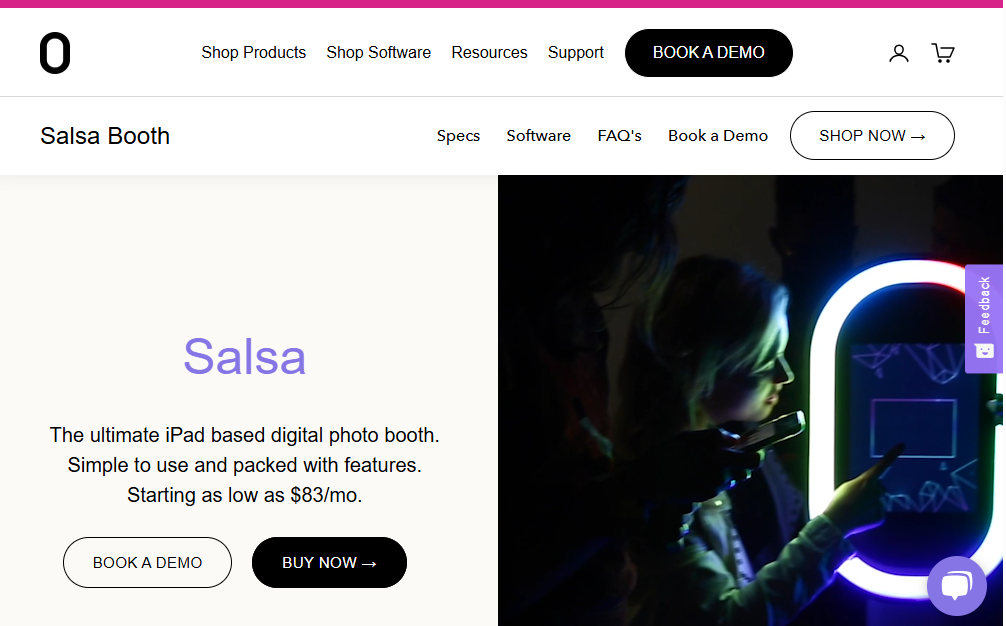
Fiesta Booth (Formerly “Salsa”) is created by Photo Booth Supply Co., and is promoted to individuals who want to start a photo booth business and would like a little boost to get off the ground.
That’s because the app comes with a large collection of resources and educational videos for beginners, plus a solid collection of attract screens and overlays. All this can give you a head start when starting a successful photo booth business.
Fiesta also comes with many popular photo booth features like special effects, animated GIFs, text messaging, a survey collection tool, and an online dashboard with settings and analytics.
Overall, it’s a modern software that is easy-to-use. However, some users preferred the app before the transition from Salsa to Fiesta. There have been reports of bugs and issues since the transition.
| Fiesta Pros | Fiesta Cons |
| ✅ Over 240 themes for different events | ❌ Possible reliability issues |
| ✅ Provides hardware add-ons like backdrops and watermarked films | ❌ Locked into software |
| ✅ 30-day free trial period | ❌ No AI features |
Fiesta App: Top 3 Unique Features
- Access to the Photo Booth Academy includes more than 100 videos on how to run events, market your business, and even do accounting
- Scheduling features let you specify when the booth will start and end without having to manually change settings onsite
- Provides marketing materials to promote your rental business (with hardware purchase only)
The Fiesta app also lets you cast a slideshow of the live captured images on any TV or screen, so more people can enjoy the photo booth photos at events.
One thing to consider before buying into the Photo Booth Supply Co. ecosystem is whether or not there are already Salsa Booths in your home market, since it can be harder to differentiate your business if everyone else is offering the same style booth. You may also be locked in, since other apps are unable to control the light for Salsa 2.
Here’s an interview discussing Fiesta:
| App Store Rating |
| ⭐⭐⭐ 3.4 based on 102 ratings |
Fiesta App: Pricing
The Fiesta Plus plan starts at $49 per month and the Fiesta Pro plan starts at $99 per month. You can also try out all the features on a free trial (credit card required). The hardware is priced separately.
Use Fiesta App if:
- You want a boost starting your photo booth business for the first time.
- You like the idea of proposals for clients being integrated into the software itself.
- You need the convenience of scheduling when the booth is active or disabled.
Need more information? We wrote an in-depth comparison of Simple Booth vs Salsa, systematically reviewing their features side-by-side.
6. Darkroom Booth for iPad — Honorable Mention
Darkroom Booth for iPad is not one of the highest-rated apps on the App Store, but it still caught our attention because it’s from the makers of the original Darkroom Booth, a popular photo booth app for PC.
This photo booth app for iPad has a modest set of features. As expected, it enables you to watermark all the images with your logo and colors. Notably, it lacks creative filters, effects, digital props, and does not have any tools to build surveys or custom forms for participant data.
Darkroom Booth for iPad does offer an interesting feature to accommodate international users. Its translation feature allows you to replace the words and phrases in the user interface with your own, in the language of your choice.
Plus, you can link up to 10 iPads at once to cater to the needs of large audiences.
| Darkroom Booth Pros | Darkroom Booth Cons |
| ✅ Supports watermarking with logos and brand colors | ❌ Limited customization for event branding |
| ✅ Allows connecting up to 10 iPads simultaneously for large events | ❌ Lacks creative filters and digital props |
| ✅ Instant photo printing through AirPrint |
Darkroom Booth: Top 3 Unique Features
- Translate text into different languages or write your own phrases
- Run up to 10 devices with one subscription
- Advanced iPad camera settings
If you are a photographer who swears by manual camera settings for every shot, you will love the advanced camera options in Darkroom Booth for iPad. You can adjust the ISO, white balance, and other settings to fine-tune your captured imagery. It’s also possible to create GIFs, burst images, and boomerangs. Once you’re done, you can print the images instantly via AirPrint.
Here is a quick overview of how Darkroom Booth works:
| App Store Rating |
| ⭐⭐⭐ 3.6 based on 16 ratings |
Darkroom Booth: Pricing
Darkroom Booth’s monthly subscription plan costs $29.99. You can also choose the annual plan for $299.99 (basically 2 free months). Also, note that advanced features like online galleries require a separate subscription.
Use Darkroom Booth if:
- You need to run multiple iPads at a large event.
- You require a multilingual interface for international events.
- You’re looking for simple photo booth functionality with printing options.
Learn more about Darkroom Booth for iPad on the App Store!
3 Best Free Photo Booth Apps for Fun & Casual Use
1. Mini PhotoBooth — Customizable Templates
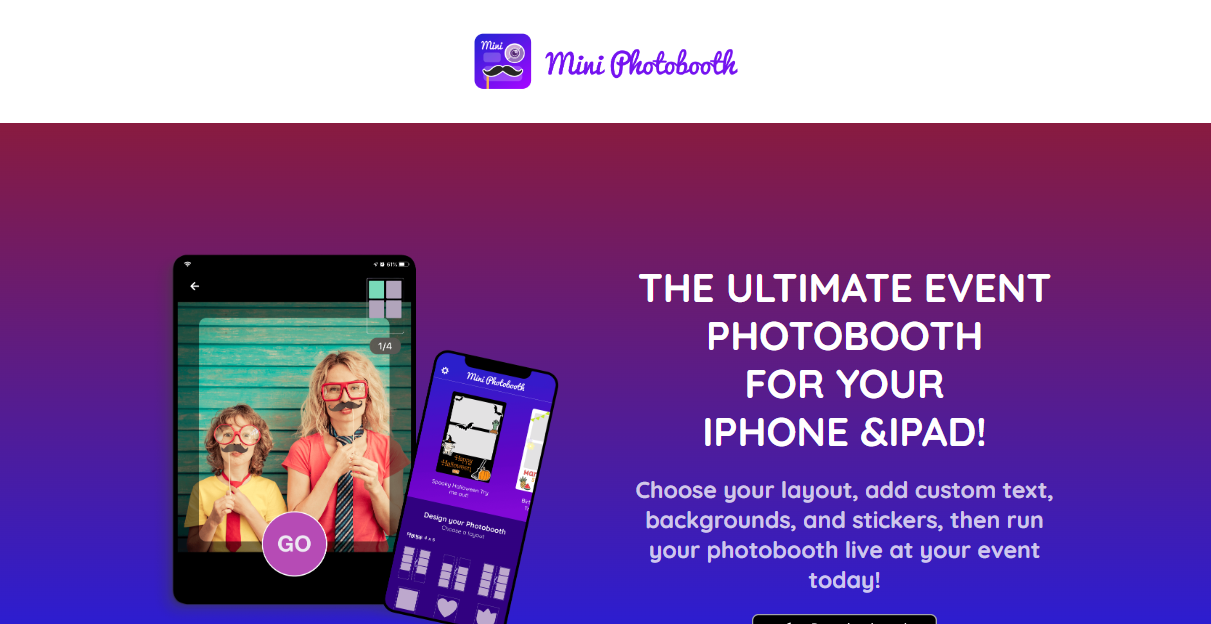
Who doesn’t love snapping creative photo booth pictures with friends and family?
Well, Mini PhotoBooth offers you just the right tools for a lighthearted and memorable experience.
It has a wide range of animated templates for Halloween, Christmas, and other occasions. You can use them to capture images, videos, and GIFs. Once you’re done, a single click lets you print or share the content on social media.
Mini PhotoBooth: Top 3 Unique Features
- Instant printing and sharing options
- More than 60 photo booth templates
- Unlimited custom text using 120+ fonts
The Mini PhotoBooth app also enables you to customize the templates fully. You can change the layout, backgrounds, colors, text, and stickers.
Use Mini PhotoBooth if:
- You need fun, animated templates for personal events like parties or holidays.
- You want simple, customizable templates for quick setup.
Check out MiniPhoto Booth on the App Store!
2. The Photos Booth — Funniest Live Effects
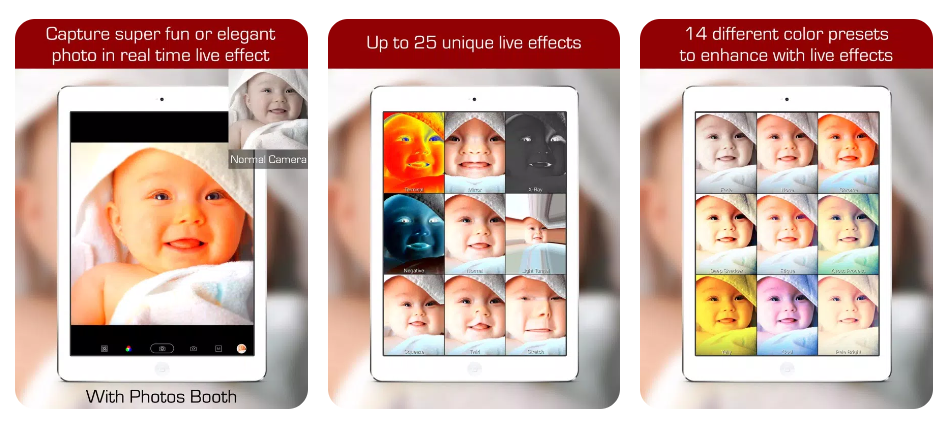
The Photos Booth makes taking pics a fun experience with its quirky real-time effects.
Whether you’re turning yourself into a cartoon character, rocking a fish-eye lens, or warping your face in all sorts of wacky ways, this app is designed to keep you and your friends entertained for hours.
The Photos Booth: Top 3 Unique Features
- 39 real-time live effects and color presets.
- Great low-light performance with Screen Flash.
- Support for dual and triple rear camera devices.
But keep in mind that while The Photos Booth app is free to use, you’d need to pay a one-time fee of $1.99 to avoid ads.
Use The Photos Booth if:
- You want a lighthearted photo booth app to make you laugh.
- You enjoy sharing funny, altered images on social media.
Check out The Photos Booth app for iPad!
3. Pocketbooth Photo Booth — Vintage Photo Booth Fun
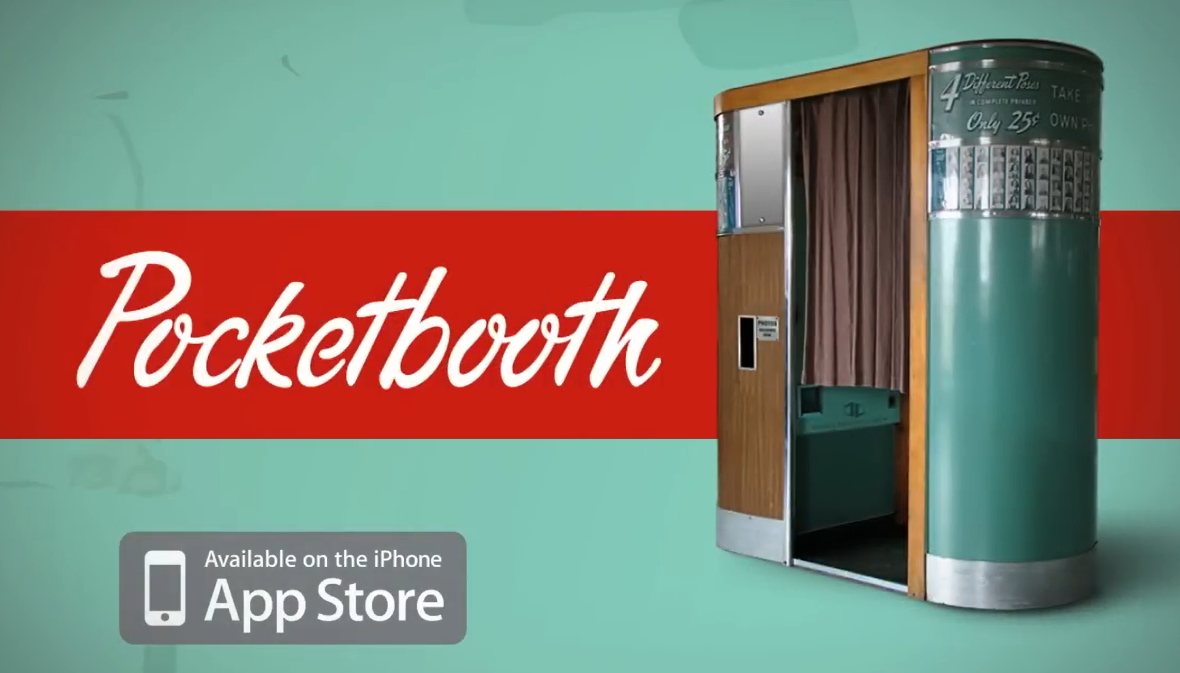
With a price of only $0.99, Pocketbooth is very affordable for the value it delivers. This photo booth application takes you back to the 1950s using its vintage photo strips, so you can create classic photo collages wherever you go.
Pocketbooth: Top 3 Unique Features
- Photo strips that feel authentically vintage
- Save GPS location with a photo strip
- Print your photo strips or share via social media platforms or email
PocketBooth comes with 5 photo effects, 2 paper types, and 2 border styles.
You can use them to get retro-style images that look like they were taken in an actual old-school photo booth. Since some users might find the options limited, the app offers in-app purchases to get many more filters and styles.
See the app in action here:
Use Pocketbooth if:
- You want a vintage photo booth experience.
- You want easy sharing options for retro-style photo strips.
Get Pocketbooth on the App Store today!
There you have it…
A comprehensive list of the best iPad photo booth software, currently crushing it in the store!
Whether you’re looking to entertain guests at a wedding or gather data at a corporate event, there’s an app suited for the job.
Here are our top three picks:
- Simple Booth HALO is the best overall iPad photo booth app for all kinds of parties and events, including business owners who need the analytic tools and branding features required to host commercial events.
- Snappic is good for photography studios or pro photographers with the equipment to build DIY photo booths.
- LumaBooth is good for individuals who want a cheap and easy-to-use iPad photo booth app for non-commercial events.
In the end, the surest way to find the best one is to try each app out yourself. Download each app, sign up for a free trial, and see what works for you!
One last thing. If you work at a business or not-for-profit, then we highly recommend checking out Simple Booth HALO, our premiere photo booth app.
Want to see the best photo booth app for events, venues, and businesses in action?